Intro: Let’s Talk About AdSense (Like Real People Do)
If you’re running a tech blog and dreaming of making money through Google AdSense, you’re definitely not alone. I’ve been in your shoes too—writing articles, tweaking the blog layout, and eagerly waiting for that magical approval email.
But here’s the thing: AdSense isn’t just about traffic or good content (although that’s super important). It’s also about having certain “must-have” pages on your site. Yes, you read that right. Google wants to see some important pages on your blog before they give you the green light.
In this article, I’ll break it all down in simple, friendly language—no jargon, no robot-speak. Just straight talk based on my experience and what actually works.
Main Content: Why These Pages Matter for AdSense Approval
Before we dive into the list, let’s get one thing clear: Google AdSense wants to work with real, trustworthy sites. That means they want to see that you’re serious, transparent, and providing value—not just throwing up content to earn quick clicks.
✅ 1. About Page – Let Google Know Who You Are
This is one of the most underrated pages, but it’s actually super important. Google—and your readers—want to know who’s behind the content.
What to include:
Your name or pen name
A brief background (especially if you’re into tech)
Why you started your blog
What kind of topics you cover
Maybe a casual photo (optional but helpful)
👉 Example:
“When I started my blog, I just wanted to share my thoughts on the latest Android updates and cool gadgets. Turns out, a lot of people were looking for the same info. That’s how this blog came to life!”
✅ 2. Contact Page – Make It Easy to Reach You
AdSense wants to know you’re reachable—just like any real business. A contact page shows professionalism and builds trust.
What to include:
A simple contact form
(Optional) Social media links
Tip: Avoid broken forms. Test it to make sure messages actually land in your inbox.
✅ 3. Privacy Policy – The Most Crucial Page
Yes, it sounds boring, but this one is non-negotiable.
Since AdSense serves ads based on user behavior, your site needs a privacy policy that informs visitors about cookies, third-party services, and how you handle data.
You can use free generators online, but make sure to:
Customize it with your site’s name
Add specific mentions of Google AdSense and Google Analytics, if you use them
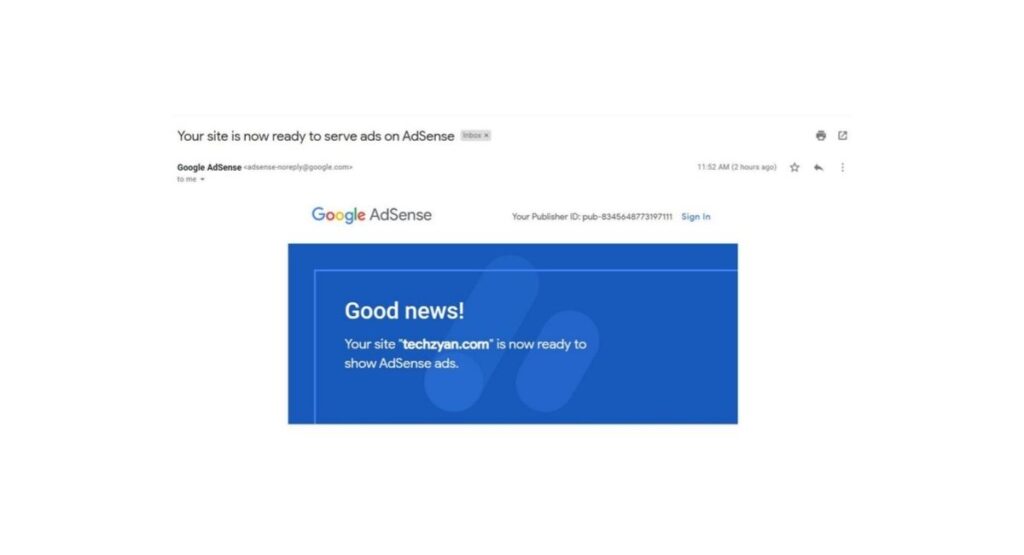
💡 From experience: I didn’t have this page the first time I applied. Got rejected. Once I added it, I got approved in 3 days.
✅ 4. Terms & Conditions Page – Adds Credibility
While not strictly required, having a Terms & Conditions page adds a professional touch to your tech blog.
This page tells users how they’re allowed to use your content and what your rights are as the blog owner.
Include:
Disclaimer for tech tutorials or recommendations
Copyright notice
Limitations of liability
✅ 5. Disclaimer Page – Especially for Tech Bloggers
If you’re writing product reviews, software tutorials, or affiliate content, you need a disclaimer.
Why? It helps protect you legally and shows Google that you’re being transparent.
Include statements like:
“This article contains affiliate links. If you purchase through these links, I may earn a small commission at no extra cost to you.”
Examples and Extra Tips for Google Discover Optimization
Want your blog posts to pop up in Google Discover? Here’s how to increase your chances:
📌 Strong, Clear Titles
Instead of writing:
“Things You Should Know for AdSense”
Write:
“AdSense Requirements for Tech Blogs: 5 Essential Pages You Need”
This makes your title more specific, searchable, and helpful.
📌 Engaging Intro + Structured Subheadings
Start with a relatable hook (like I did), and use H2/H3 headings to break content into clear sections.
Why it works:
Google Discover loves structured, well-formatted content that’s easy to scan on mobile.
📌 Use Bullets and Numbered Lists
Make content snackable. Like this list you’re reading. 😊
📌 Add FAQs (Google loves them!)
FAQs – Your Quick AdSense Doubts Answered
❓ Q: Can I apply for AdSense without these pages?
Technically yes, but your chances of approval drop significantly. These pages show Google you’re a legit publisher.
❓ Q: Do these pages need to be in English?
If your blog’s language is supported by AdSense, write these pages in the same language. English is always a safe option, though.
❓ Q: What if I use a free Blogger or WordPress site?
AdSense approves free platforms too, but custom domains (like .com) usually get faster approval. Still, the required pages are the same.
❓ Q: How long should these pages be?
No need to write essays. Just be clear, honest, and informative—around 300–500 words per page is usually fine.
Conclusion: Ready to Impress Google (and Your Readers)?
There you go! If you’re running a tech blog and want to get AdSense approval, don’t skip these important pages. They’re not just for show—they prove that you’re serious, transparent, and ready to give value.
Here’s a quick recap:
Add About, Contact, Privacy Policy, Terms & Conditions, and Disclaimer pages
Keep your tone friendly, human, and helpful
Structure your posts for Google Discover using strong titles, clear intros, and bullet points
Remember, it’s not just about getting approved. It’s about building a site that readers and Google will trust.
👉 Your Turn!
Have you applied for AdSense yet? Still waiting for approval?
Drop a comment below and let’s chat! I’d love to hear about your experience, and maybe I can help you out. 😊